
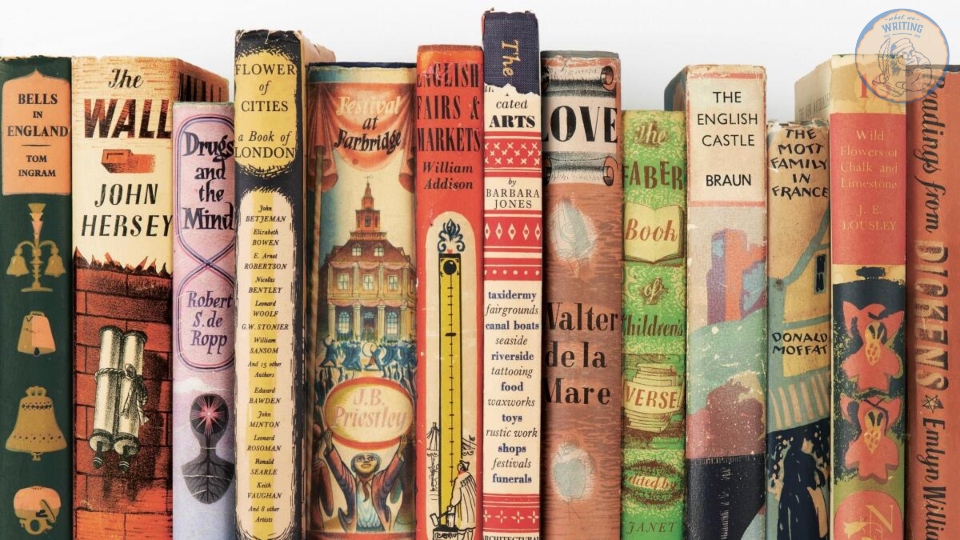
They say “don’t judge a book by its cover,” but let’s be honest, everyone does. In a crowded marketplace, your book serves as your first impression, your billboard, and often the deciding factor in whether someone decides to give your story a spin or move on to someone else’s. A well-designed book cover doesn’t just look good; it sells. Whether you’re self-publishing your debut novel or revitalising a blacklist title, knowing how to design a book cover that grabs someone’s attention and suits its genre is one of the most crucial steps in the publishing journey. Join us at What We Writing as we guide you through what makes a good book cover, the tools you can use, and the exact steps to design a book cover that leaps out at your audience. We’ll also share our common mistakes to avoid, tips for different genres, and the best resources to help you on your way!
What Makes A Great Book Cover?
So, what exactly makes a good book cover? There’s more to it than just an eye-catching image. The most effective book covers are a purposeful mix of design principles, marketing psychology, and genre awareness, all working in harmony to attract the right readers and sell the story in its pages. Here are some of the key ingredients involved in creating the perfect cover:
Visual Hierarchy
Visual hierarchy is all to do with leading the reader’s eye. The most important elements, typically the title, name of the author, and central image, need to stand out first. A cluttered or confusing layout can frustrate a potential reader or bury the message you’re trying to send. Think of your book cover as you would a movie poster: what is the one thing you want them to see first?
Tip: A strong visual hierarchy creates clarity and ensures the design never feels overwhelming.
Check Out Our Guide On How To Write A Book Title
Readability (Particularly at Thumbnail Size)
The vast majority of your audience will first see your book as a small thumbnail on a crowded online shelf. If your readers are unable to pick out your title or the image is too difficult to discern, you run the risk of being overlooked. A good book cover needs to have crisp, legible typography, even at smaller sizes.
Tip: Zoom out and view your cover at 100px wide. Are you still able to read it clearly?
Genre Expectations
Each genre has its own visual language. Cosy mysteries typically lean on illustrated covers with pastel tones. Thrillers use a lot of bold fonts alongside dark, moody images. Romance novels may feature warm lighting, script fonts, or couples in a soft focus.
Knowing the genre trends ahead of time will help you signal to the right readers and avoid the risk of mismatched design choices that confuse or (worse still) repel potential buyers.
Tip: Take the time to browse through your category’s bestsellers on sites like Goodreads or Amazon to identify common visual cues. Do the same for retail shelves, if you’re planning on selling your book in the flesh.
Emotional Tone
The best book covers don’t just inform readers what the book is; they convey how it feels. The tone needs to match the story inside. Is it heartwarming, tense, quirky, or empowering? Your imagery, colour choices, and font selections all need to be in harmony for your cover to create an emotional impression that primes the reader.
Tip: Ask yourself what feeling you want someone to have when reading your work, and design around that.
When all of these elements come together – clear hierarchy, strong readability, genre-specific styling, and emotional resonance– you end up not only with a book cover that looks eye-catching, but also succeeds in selling the story before the reader even turns the first page.

Step-By-Step Book Cover Design Process
Designing a book cover may seem like a creative mystery; however, it’s actually a repeatable process – one that blends research, planning, and execution. Whether you’re doing it on your lonesome or briefing a designer, following these steps will ensure you land on a cover that demands attention and actually sells your story.
1. Come Up With Ideas
Take a look at some of your favourite books. Take a trip to your local bookstore or library and see what the most popular trends are with book cover designs. Take note of what elements you enjoy in a cover image. Do you prefer a certain style of font? Colour? Do you lean more toward books that feature an illustration or something purely typographic on the cover?
Another solid go-to for coming up with book cover design ideas is to work around a mood board. Platforms such as Pinterest or Evernote are perfect for pulling book cover inspiration together from across the web.
While you are gathering inspiration, it’s important to keep in mind what genre your story fits in and, consequently, what sort of book design is most likely to fit in. This step will help give you a visual benchmark and guarantee that you’re designing with your reader’s expectations in mind.
2. Who’s Your Designer?
Are you blessed with any design skills? If so, your next step may be to start layouts and mock-ups of the covers. You should use whatever software program you’re most familiar with and comfortable with. Most professional book cover designers opt for a program from the Adobe Creative Cloud:
InDesign
InDesign is a multi-page design platform, although it can also be used for a single-page design.
Photoshop
Photoshop is one of the most famous platforms and is a handy tool for experimenting with photography.
Illustrator
Illustrator is a vector-based program, which means you are able to create graphic art that can be scaled up or down without missing out on quality.
Photoshop and Illustrator
These two platforms can be used together, as you are able to import your Photoshop file into Illustrator to set the type after you have worked with your cover image.
If you don’t have any design skills (like this article’s author!), now is the time to hire a book cover designer. The first step in this journey is to work out what sort of budget you’re playing with. A designer’s fee will depend on their expertise. Work out what sort of figure is manageable for you, and then write a design brief which should include the following book specifications:
- Size
- Print-run
- Intended audience
- Where and how the book will be published
- Anticipated release date
You should also include here a brief summary of what the book is about and what you are looking for in a cover. It may also be worth sharing with your designer some of the inspiration that led you to this point to help give them a better flavour of what you’re looking for.
If you don’t have design skills (again, hello world!) but you’d still like to create a book cover without breaking the bank, software programs like Canva or 100 Covers come with design tools that allow you to DIY the cover (either for free or for a fee).
3. Deciding The Dimensions
If you’ve decided to go down the route of self-publishing and printing with a local printer, you can work with them to ensure your book dimensions will fit on their printer (remember: a book prints front, back, and spine in one sheet of paper). It’s also a good idea to find examples of books whose sizes you like and which feel good to hold. Use that as your starting point for your own work.
Book Cover Dimensions List
If you are printing for a specific market, from print to ebook, here’s a handy list for reference:
Amazon Kindle Direct Publishing
Format: JPEG or TIFF
Cover Size (Recommended): 2560×1600 pixels
Cover Size Requirements: Between 1000×625 pixels and 10,000×10,000 pixels (one side has to be at least 1000).
Apple iBooks
Format: JPEG or PNG
Cover Size (Recommended): 1400×1873 or 1600×2400 pixels
Cover Size Requirements: At least 1400 pixels wide
Barnes & Noble
Format: JPEG or PNG
Cover Size (Recommended): Rectangle height and width, minimum 1400 pixels
Cover Size Requirements: Minimum 750 pixels height and width
Kobo Books
Format: JPEG or PNG
Cover Size (Recommended): 1600×2400 pixels
Cover Size Requirements: Minimum 1400 pixels wide
Smashwords
Format: JPEG or PNG
Cover Size (Recommended): 1600×2400 pixels
Cover Size Requirements: Minimum 1400 pixels wide
Draft2Digital
Format: JPEG
Cover Size (Recommended): 1600×2400 pixels
Cover Size Requirements: Till rectangle
4. Select Your Style
Photo-based Cover
If you’re designing a photo-based book cover, you’ll need to source stock imagery. There are plenty of great resources around the web for finding stock imagery, including the likes of Getty Images, Shutterstock, and Adobe Stock. It’s worth remembering that most photography archives require payment to use their images. It’s always a good idea to scrutinise the copyright of images you’re thinking of using.
Look for images that speak to your book’s genre. Programs such as Photoshop are great for manipulating images, such as distorting the colours or cropping them in a certain way.
Check Out Our Guide On How To Copyright A Book
Illustration-based Cover
If you’re considering using a more graphic approach to your cover, Illustrator is the tool for you. You can import hand-drawn images and outlines to create scalable, high-resolution illustrations, which you are then able to manipulate within the program. You can also craft shapes and patterns, play around with typography, and experiment with colour, transparency, size, and much more.
Typography-based Cover
Finally, many effective book covers use typography as their main graphic device. This takes some skill and knowledge of typefaces, the historical context of a typeface, and how to manipulate it thoughtfully. With that being said, there’s no denying that an effective typography book cover can still be hugely impactful.
5. Pick Your Font
Regardless of what sort of cover you’re designing, the title of your book and the author’s name need to be present and visible on the front. As we’ve already mentioned, choosing the right kind of typeface is crucial.
You want to land on something that fits the vibe of your story – is it a sans or a sans serif? A heavy weight or a lighter weight? You want to guarantee that it isn’t a font that comes with a lot of baggage (we’re looking at you, Comic Sans). It’s a good idea to do a bit of research on when, where, and whom your typeface was designed to give you context and feel out if it will be the right fit for you.
You may also want to consider using two different fonts on your book cover: one for the title and one for your name. A mix of serif and sans serif can create a bit of contrast and visual interest. There are some typefaces out there that work really well with one another.
TypeWolf is one of the best go-tos for getting an idea of what fonts couple well.
6. Test, Change, and Experiment
Once you have a few different versions of a book cover, print them out and look with a critical eye. Maybe pass them around your house or friendship circle to see what other people think, what impression they get from your design. With the feedback in mind, go back, refine your design, and then repeat!
Don’t forget to look at your book cover as a small thumbnail as well. People are on their tablets and mobile phones so often when purchasing books, so you want to guarantee that your cover is as optimised as possible, no matter the size it’s viewed in.
Following this process takes the guesswork out of book cover design. By the end, you’ll have a visually strong, genre-appropriate, and properly formatted cover that’s ready for publication.
Book Cover Design Checklist
Before you hit that publish button, run your design through this quick checklist to ensure your book cover is ready to meet the technical standards across platforms and impress your readers.
Visual Design
- Title is clear and readable at thumbnail size
- Font choices match your genre and tone
- Imagery supports the emotional feel of the book
- Cover fits current trends in your genre
- Visual hierarchy leads the eye naturally
Layout & Formatting
- Font, spine, and back designed (for print)
- Spine width calculated based on page count
- Blurb, barcode space, and publisher info included
- Exported in correct file format (JPG for ebook, PDF for print)
- 300 DPI resolution and CMYK colour mode (for print)
Consistency & Branding
- Author name placement is consistent across books
- Series branding or theme is visually clear
- Colours, fonts, and mood match your other marketing materials
Have any questions about your book cover design? Want feedback or more resources? Drop a comment below – we’d love to hear what you’re working on!
And, if you found this guide somewhat helpful, don’t forget to share it with other writers or save it for your next book!
Check Out Our Guide To The Costs Of Self-Publishing

James has been passionate about storytelling ever since he could hold a pen. Inspired by the epic fantasy and historical dramas he devoured in his youth, his work now centers on dark, psychological tales featuring intense, introspective characters and atmospheric, gothic undertones. In 2025, he founded What We Writing to share his creative journey and the lessons he’s learned along the way with fellow writers and passionate storytellers.

